
Your medical record,
on your iPhone.
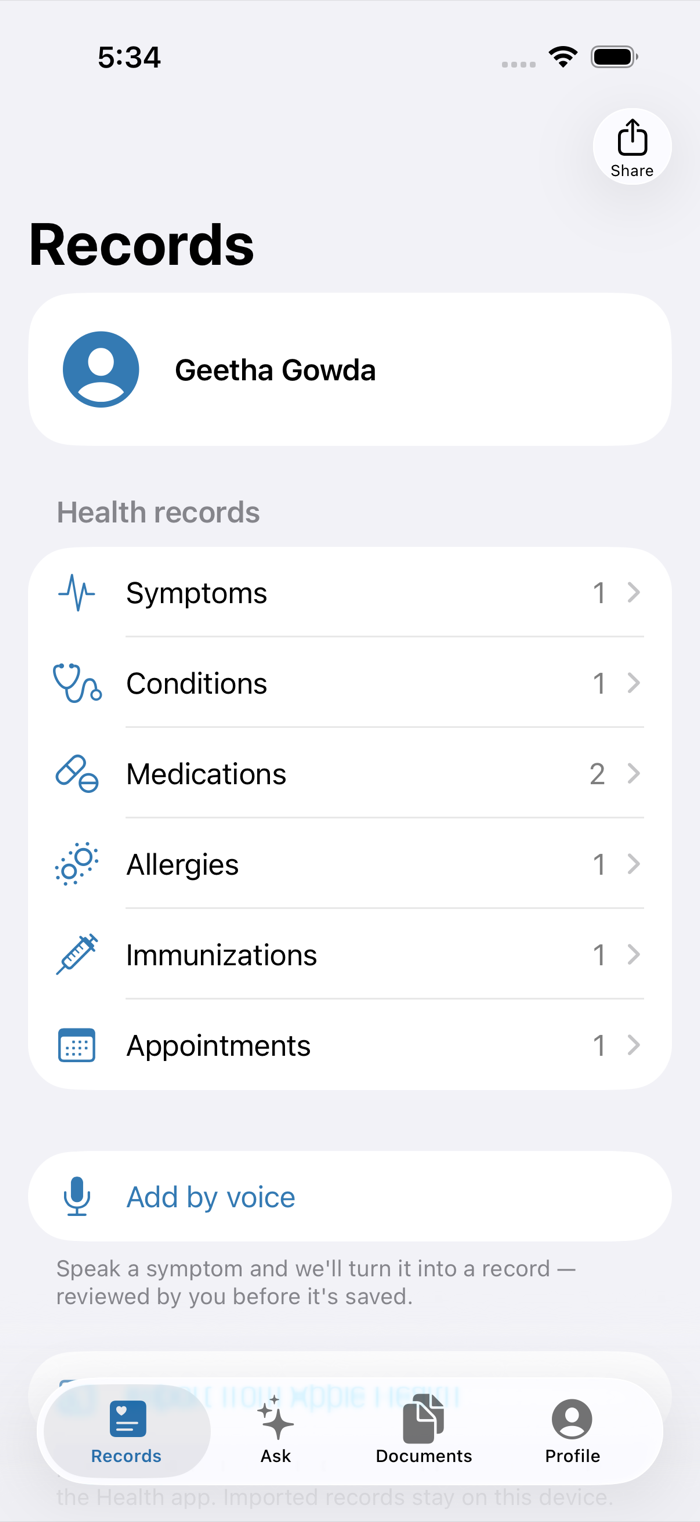
Conditions, medications, allergies, immunizations, appointments and documents — organized in one place, and ready to hand to any provider as a clean PDF.
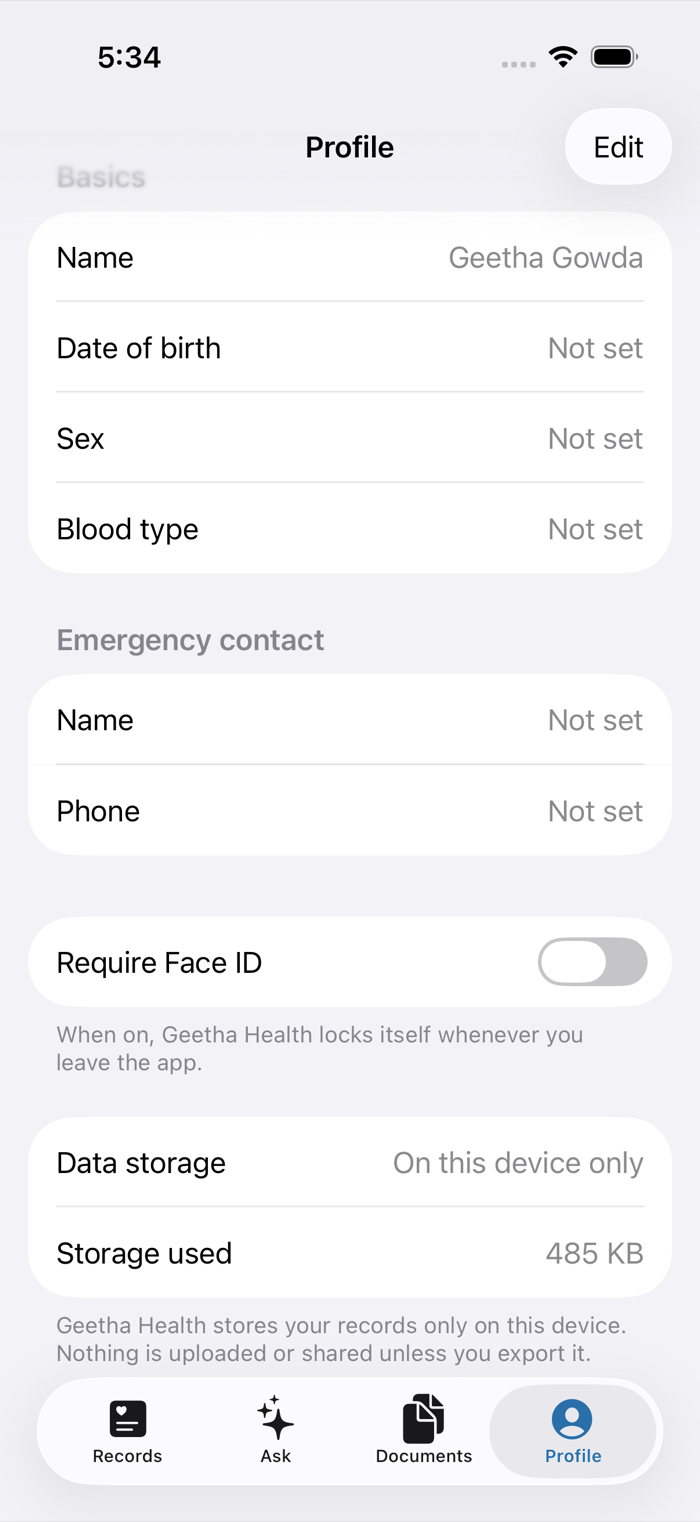
Everything stays on your device. No account. No server.
The whole point: your records never leave your phone.
Most health apps are a front end for someone else's database. This one isn't. There is no backend to breach, no account to lock you out, and no company — including us — holding a copy of your medical history.
- No account, no sign-up. Open the app and start. There's nothing to log into.
- No server, anywhere. The app makes no network calls at all. Not for search, not for AI, not for anything.
- No analytics, no trackers, no ads. Not in the app, and not on this website either.
- Face ID lock. Off until you turn it on — then the app locks itself the moment you leave it.
- Yours to take with you. Export a provider-ready PDF or a standards-based FHIR bundle whenever you want.
Read the full privacy policy — it's short, and it says exactly this.
What it does
Six kinds of record
Symptoms, conditions, medications, allergies, immunizations and appointments. Medication and vaccine names autocomplete from bundled clinical vocabularies, so what you save carries a real code — not just free text.
Import from Apple Health
Pull the clinical records your providers already share with the Health app — conditions, medications, allergies and immunizations — in a couple of taps. You review everything before it's saved, and duplicates are filtered out.
Scan your paperwork
Point the camera at a lab result or discharge summary and it becomes a clean, multi-page PDF in your record. Import existing photos and PDFs too.
A summary for the front desk
Generate a one-page PDF of your allergies, conditions, medications, immunizations and appointments. AirDrop it, email it, or print it — no portal, no account, no fuss.
Add a symptom by voice
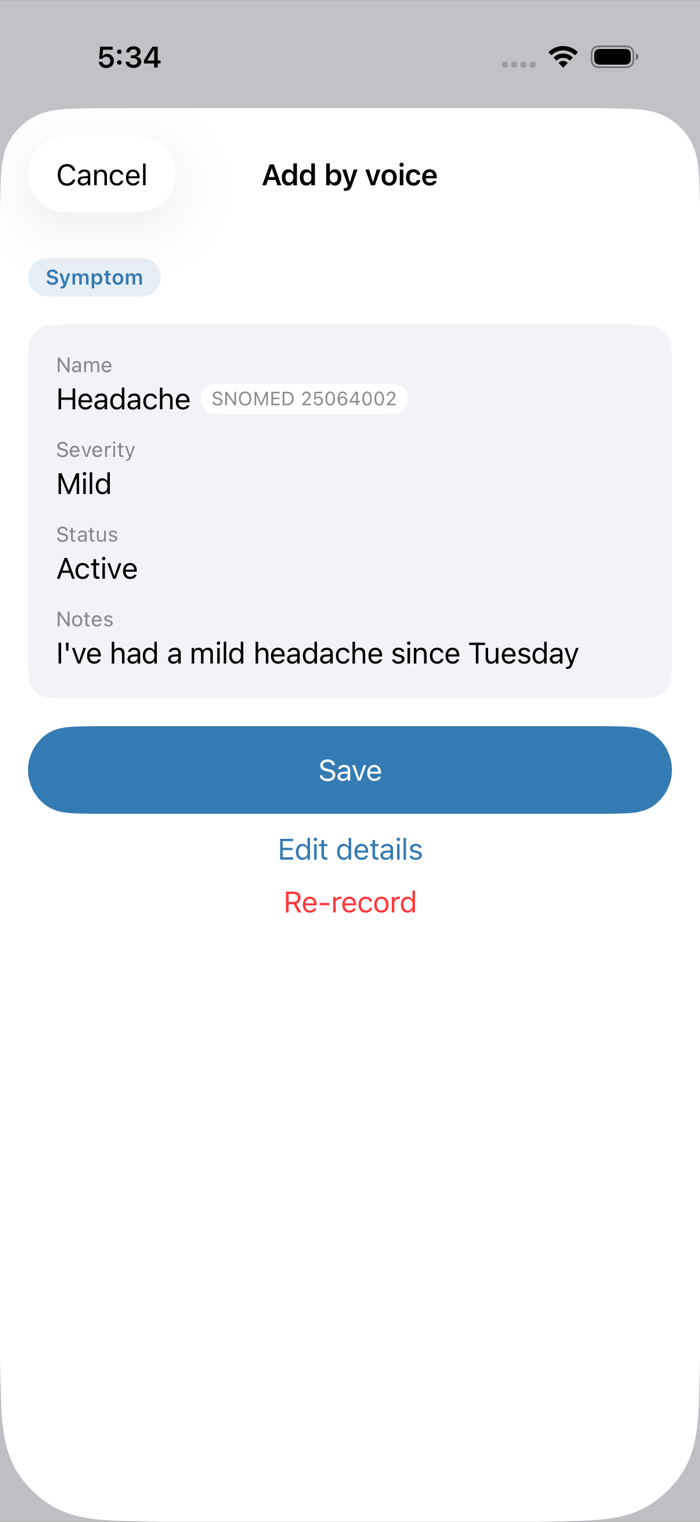
Say what's going on and it's turned into a structured record you confirm before saving. Speech is transcribed on your device — the audio never leaves it.
Ask, privately
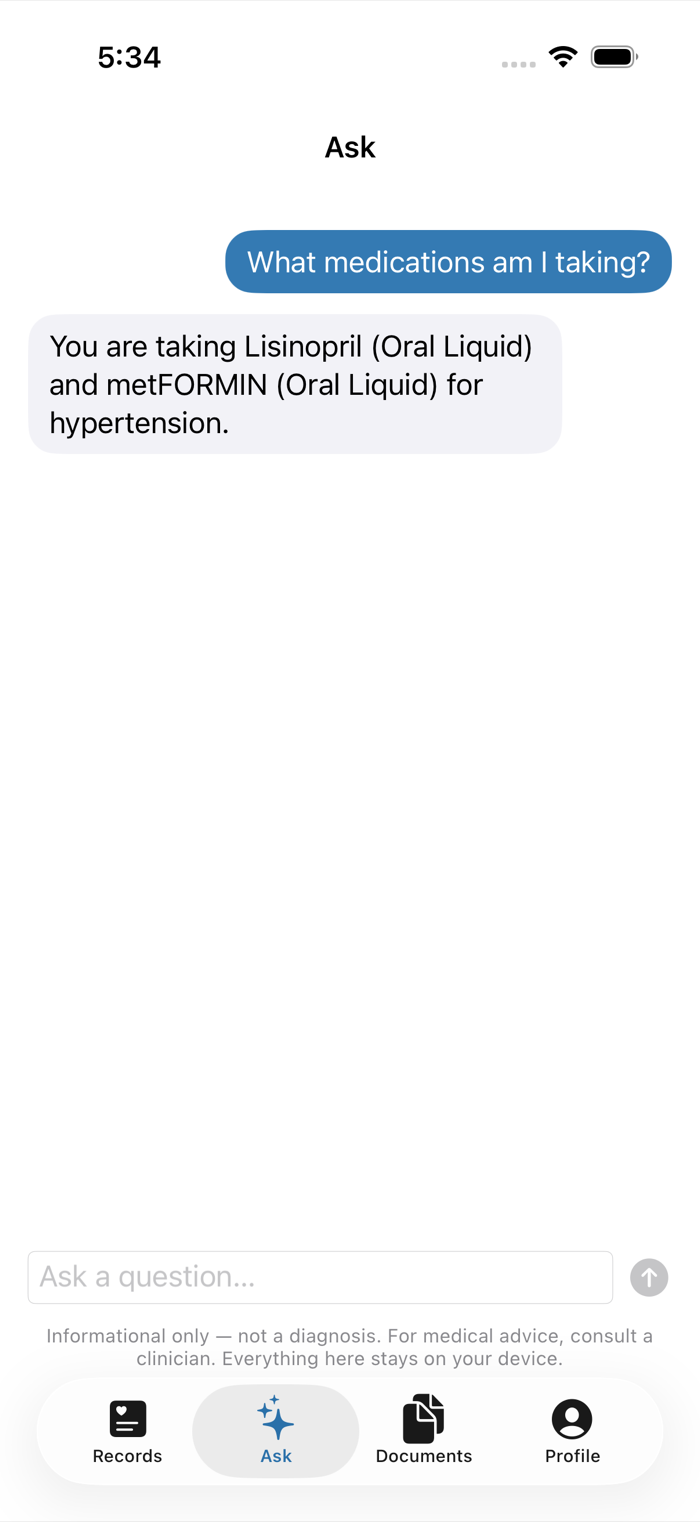
Ask questions about your own record — when a symptom started, how often it's come back — answered by Apple's on-device model. Informational only, never a diagnosis, and nothing is sent anywhere. iOS 26
How it works
-
1
Set it up in a minute
Enter your name and date of birth. That's the whole onboarding — there's no account to create.
-
2
Fill it in
Import what Apple Health already has, add the rest by hand or by voice, and scan the paperwork sitting in a drawer.
-
3
Bring it to your appointment
Export a PDF summary at the front desk, or a FHIR bundle a health system can actually ingest.
Questions
Do I need an account?
No. There isn't one. The app has no sign-up, no login, and no password, because there's no server for an account to live on.
What happens if I lose my phone?
Your records are included in your encrypted iPhone backup, so they come back when you restore to a new device. But to be direct about the trade-off: because we keep no copy, we can't recover anything for you. If you don't back up your iPhone, back it up.
Does it sync to my other devices?
Not today. The app is deliberately single-device — that's what makes the privacy promise a real architectural guarantee rather than a policy you have to trust. You can always move your record somewhere else with the PDF or FHIR export.
What does the Apple Health import actually pull in?
The clinical records your healthcare providers share into the Health app: conditions, medications, allergies and immunizations. It's optional, it only runs when you ask it to, and you see everything before it's added. Imported records keep the provider's original clinical coding.
Is this a medical device? Will it give me advice?
No, and no. Geetha Health is a record-keeping app. It doesn't diagnose, doesn't treat, and doesn't tell you what to do about your health. The Ask feature answers questions about what you've already recorded — it isn't a clinician, and it says so.
Is my data used to train AI?
No. The assistant runs entirely on your iPhone using Apple's on-device model. Your records are never sent to us, to Apple, or to any AI provider — there is no network call to send them over.
Keep your own health record.
Private by construction, and yours to export at any time.
Coming Fall 2026